
Quick Set Up
Set Up Your AI Receptionist for Your Garage — Works With or Without Garage Software
Our Garage Receptionist is designed to work alongside your existing garage software or completely on its own if you don’t use any. There’s no integration required — just a simple setup, and your receptionist is ready to answer calls, capture bookings, and send everything straight to you.
Whether you run a busy auto repair shop, MOT centre, or independent car repair garage, this guide shows you how to get started.


Step 1: 📋 Choose Your Plan
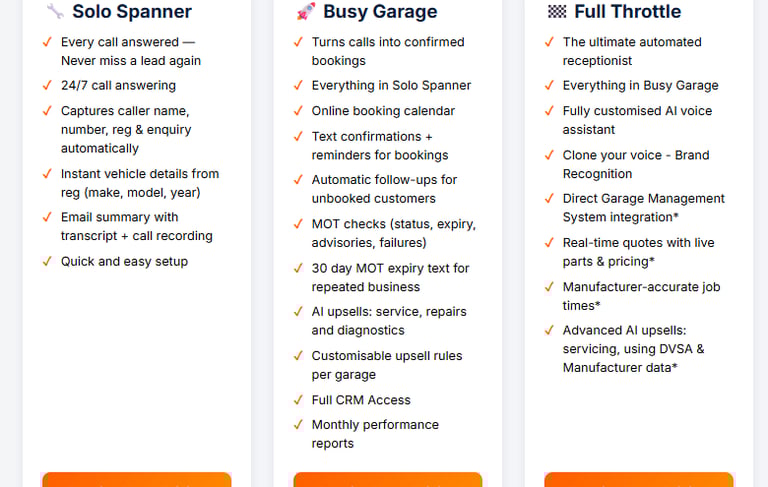
You can just head to our [Plans Page] and view our plans, choose which ones are right for you.
Every call is answered — so you never miss a customer lead again. Works perfectly without Garage Software or alongside your existing Garage Software
Step 2: 📞 Activate Your AI Receptionist
Once you sign up:
You’ll receive your own dedicated AI phone number
Activation may take a few hours, but you’ll be fully set up within 24 hours


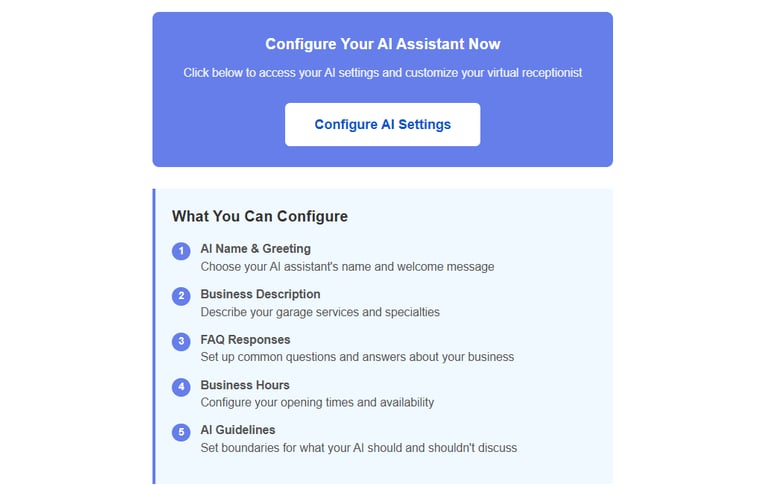
Step 3: 🎨 Customise Your AI Receptionist
While your number is being activated, tailor your receptionist:
✨ Choose a name and greeting
🕒 Set your business hours
📧 Add email addresses for transcripts and call recordings
Example: “Hello, you’ve reached Tom’s Garage. I’m your AI receptionist. How can I help you today?”
This ensures your AI receptionist is professional and ready to capture customer details — with or without Garage Software. Our Garage answering service can work fine on her own.
Step 4: 🔄 Forward Your Calls
Once your number is live, you’ll receive an email with instructions to forward your calls. Decide how it should work:
⏰ 24/7
🌙 Out-of-hours only
📞 Calls not picked up after two rings
You’re always in control, whether working alongside garage software or independently.


Step 5: 📞 Start Taking Calls
Your AI receptionist can:
✅ Answer every customer call professionally
✅ Collect booking details, vehicle registrations, and contact information
✅ Email call summaries, transcripts, and recordings
From MOT bookings to tyre checks, your AI receptionist ensures your garage never misses another lead while you stay in control.


Step 6: 📝 Receive Call Transcripts and Recordings
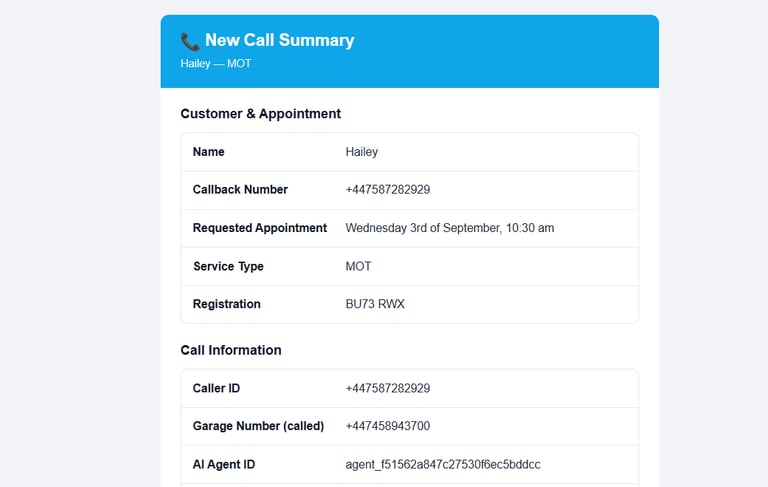
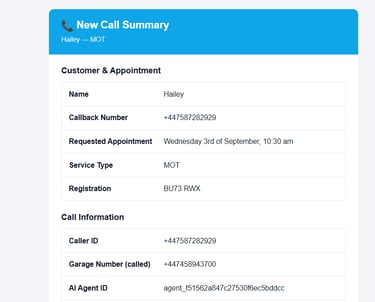
After every call, you’ll get a full transcript and recording, including:
🧾 Customer details
🚗 Vehicle registration
📅 Booking requests
🕒 Preferred date and time
All you need to do is phone the customer back to confirm their booking — simple, efficient, and ensures no leads are missed
💡 Why Garages Love It
✅ No software required — also great for independent garages or MOT centres
✅ Perfect add-on for garages using auto repair garage software
✅ Quick setup — running in less than 24 hours
✅ Fully managed by you, flexible to your needs
📆 Watch the video to explain how it's done in a few quick and easy steps👉set up your Garage Receptionist


❓Frequently asked questions
Do I need garage software to use the AI receptionist?
No! It can work independently alongside garage software, capturing calls, bookings, and vehicle details.
How long does it take to set up?
Phone activation may take a few hours. Most garages are fully running within 24 hours.
How much does it cost?
from £97/month per garage + 22p per minute for calls, including call transcripts and recordings.
How does call forwarding work?
You receive an email with instructions. Options include:
- 24/7 answering
- Out-of-hours only
- Calls not picked up after two rings
Will it replace my receptionist?
No — it’s a support tool. Captures calls and info, letting your team follow up to confirm bookings.
What software does it work with?
Electronic Receptionist works alongside leading garage management systems including Garage Hive, TechMan, GDS, Workshop Software, Motasoft, Dragon2000 and GarageKing. It can also work perfectly even if you don’t currently use any garage software.
We also have an exclusive partnership with Auto Garage Network (AGN), allowing for direct system integration, real-time bookings, customer updates and full CRM/GMS synchronisation.
Can I customise it for my garage?
Yes! Set a name, greeting, business hours, and choose where call transcripts are sent.
🚀 Ready to Set Up?
Contact the team at the Electronic receptionist for a demo call or just get started below.